IndentationError: unexpected indent
Why one stray space can stop a Python script, how to find it fast, and how to stop it happening again.
What the error looks like
  File "report.py", line 4
    print(total)
IndentationError: unexpected indent
The line number tells you where Python gave up. The problem is almost always on that line, or the line just above it.
Why it happens
In Python, the space in front of a line isn't decoration. It tells Python which lines belong together, for example which lines run inside a loop. A line can only be indented further than the one before it if the line before ends with a colon, like for, if or def.
Here line 4 has five spaces instead of four, so Python sees an indent it wasn't expecting:
total = 0
for price in prices:
    total += price
     print(total)    # one space too many
The same thing happens at the top level of a file:
name = "Ava"
 print(name)         # this line should have no space at all
How to fix it
- Go to the line in the error. Compare its start with the line above it.
- Match the indentation exactly. Use the same number of spaces as the other lines in that block. Four spaces per level is the Python standard.
- Check for tabs. A tab and four spaces can look identical but are different to Python. Turn on visible whitespace in your editor to see them.
- Convert tabs to spaces for the whole file. In VS Code, open the Command Palette and run "Convert Indentation to Spaces".
- Re-indent pasted code. Code copied from a website or chat often brings extra spaces with it. Select it and indent it again to match your file.
Related indentation errors
| Error | What it means |
|---|---|
| IndentationError: unexpected indent | A line starts further in than the code around it. |
| IndentationError: expected an indented block | A line ends with a colon, but the next line isn't indented. |
| IndentationError: unindent does not match any outer indentation level | A line moves back out, but not to a level used above it. |
| TabError: inconsistent use of tabs and spaces in indentation | The same block mixes tabs and spaces. |
How to stop it happening again
- Set your editor to insert spaces when you press Tab, with a tab size of 4.
- Turn on "render whitespace" so stray spaces and tabs are visible.
- Use a formatter such as Black or Ruff to fix indentation every time you save.
Get the answer for your own screen
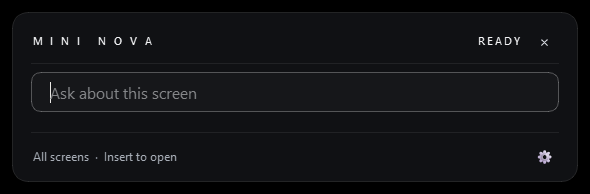
Not sure which line is wrong? With Mini NOVA open on Windows, press Insert while the error and your code are on screen and ask "what broke?". It points to the line and tells you what to change. You make the edit. Free for 7 days or 100 questions.
Stuck on a browser error instead? See how to fix "blocked by CORS policy".
Questions
What does "unexpected indent" mean in Python?
A line has more space in front of it than Python expected. Only lines after one ending in a colon, like for, if or def, can be indented further.
How many spaces should I use in Python?
Four spaces per level is the standard. Whatever you choose, use the same amount everywhere in the file.
Why does my code look fine but still give the error?
It probably mixes tabs and spaces, which look the same on screen. Turn on visible whitespace or convert the file's indentation to spaces.
Can I fix it automatically?
Yes. A formatter like Black or Ruff re-indents your code consistently, and most editors can convert tabs to spaces for the whole file.
Stuck on a different error?
Press Insert and ask Mini NOVA about what is on your screen.