Fix formula errors in Google Sheets
NOVA Ink spots errors like #N/A and #REF!, explains them in plain words, and fixes the formula in the cell when you press Apply.
What it does in Sheets
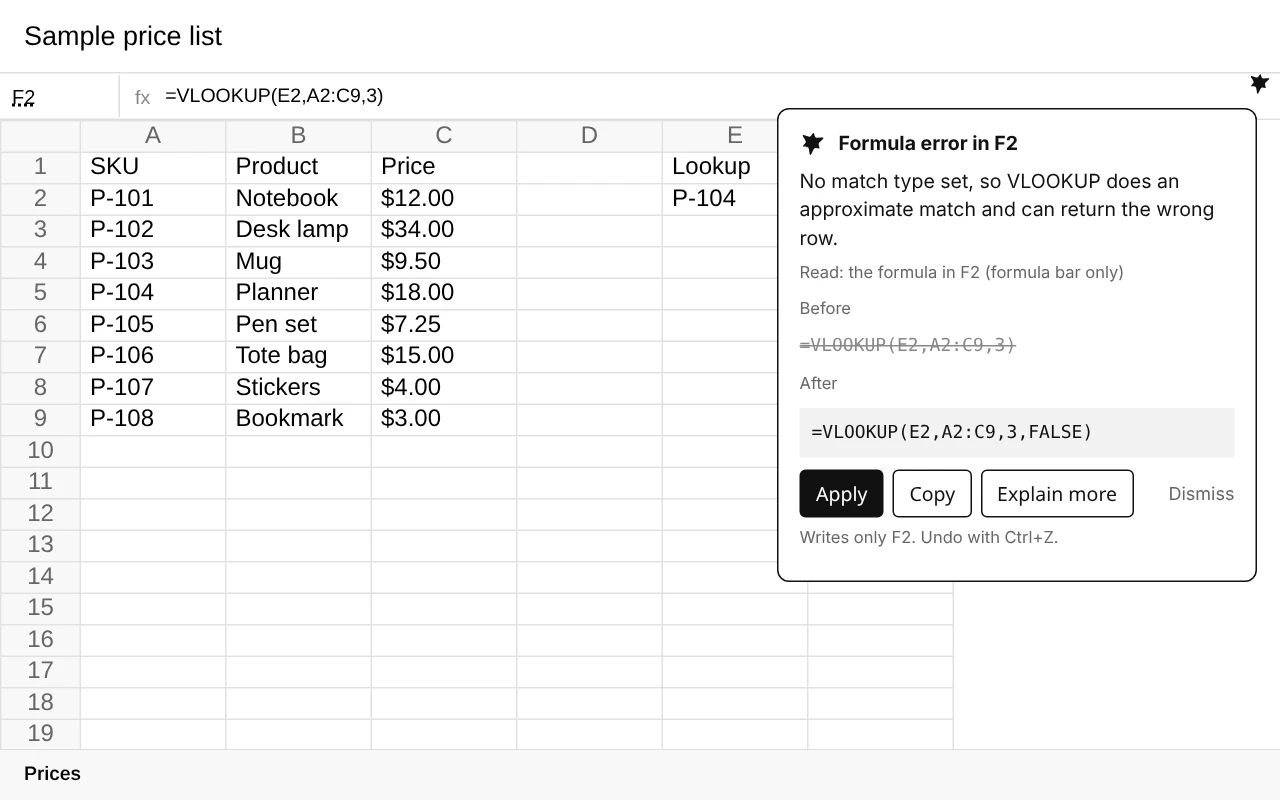
Click a cell with a formula problem and NOVA Ink shows what is wrong, the formula before and after, and an Apply button. Apply writes only that cell, and Ctrl+Z undoes it. Formula checks run on your device.
Explains the error
What #N/A, #REF! and similar errors mean for your formula, in one or two sentences.
Shows the fix
The formula before and after, so you can see exactly what changes.
Applies it in place
Press Apply to write the fix into the cell, or Copy to use it yourself.
Fix a formula in four steps
Open your sheet
Open the Google Sheet with the error in Chrome or Edge.
Click the cell
Select the cell that shows an error or the wrong result.
Read the card
NOVA Ink explains the problem and shows the corrected formula.
Apply
Press Apply to fix that cell. Ctrl+Z undoes it.
A common example
A VLOOKUP without a match type does an approximate match, so it can return the wrong row. NOVA Ink spots it and suggests adding FALSE for an exact match:
=VLOOKUP(E2,A2:C9,3) becomes =VLOOKUP(E2,A2:C9,3,FALSE)For the full guide, read how to fix #N/A in Google Sheets. Working in Excel on Windows? Mini NOVA helps with Excel errors on your screen.
Questions
Which errors can NOVA Ink fix?
Formula errors like #N/A and #REF!, and formulas that return the wrong result, such as a lookup without an exact match.
Does NOVA Ink change my sheet without asking?
No. It only writes to a cell when you press Apply, and only that cell. Ctrl+Z undoes it.
Is my spreadsheet sent anywhere?
Sheets formula checks run on your device.
Does it work in Excel?
NOVA Ink works in Google Sheets in your browser. For Excel on Windows, Mini NOVA can explain the error on your screen.
More from NOVA Ink
Fix the formula, not your afternoon.
7-day trial with 10 AI actions a day. No card needed.